 Recently I've been researching ways to save money shopping online, in stores, and how to find the best rebate offers available. This is so important, because we all need a way to save money. One of the best ways that I love to earn a little extra cash is with my smartphone and tablet. There are so many money saving apps available to download and use on your devices. Here are some great tips for you to save money, find rebates, and get cash back when you shop for food.
I personally love this app and have earned quite a bit of money using it. Furthermore, you can eat for free in some fantastic restaurants. If you need to make a purchase at a store, they will pay you back for what you've spent, plus pay you for your time. You will receive the item for free and also earn money for completing this assignment. So if you need a few extra dollars and love to shop this is a great way to do it.
The app uses your camera on your smartphone to scan the bar codes and your receipts. You can make a lot of money from this company if you can get in the habit of scanning your bar codes. The only problem I have had with this company is the waiting time to become a panel member. This can be a long wait until your name comes up and you can now join the panel. Once you join, you'll be surprised at how much you can earn, just for scanning your bar codes. Furthermore, this is an excellent way to earn cash back from shopping. Every little bit helps and it can add up quickly.
What I love about this app is the fact I don't need to have coupons anymore when I shop. All the coupons are on the site and when I enter a store, they are displayed on my smartphone. It is so easy to earn money from this app. Plus, I love receiving the checks from this company.
I have decided to use all my saving to open a new account and save for something I really need for my home. I couldn't afford to buy a new stove until I started to use this app. I earned the money for my stove in just a few weeks. You'd be surprised how fast you can earn or save $20 using this app.
I have found out with the help of these apps, I am able to save for items I never dreamed possible to buy for my home. I was surprised the first month at how much money I had saved shopping and buying items that were listed on my smartphone. Normally, I'd never purchase such items because I found them overpriced. If you want a frugal way to live and extra money in your pocket each month I'd suggest that you try a few of these wonderful apps on your smartphone.
This page contains the following solutions.
I've heard the argument before. The expensive price tag on the iPhone is justified by the applications that it runs. It sounds like a good argument, but when the calculators come out, it doesn't work. So, what's a smartphone worth?
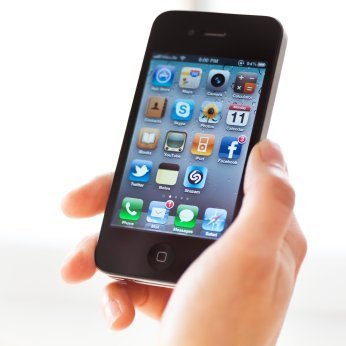
My favorite and most-used app is GasBuddy. I use it everytime before I buy gas. It gives you the gas prices of the stations near the place you enter so you can buy the cheapest gas available.
When checking out at Kohl's, my granddaughter realized we had been overcharged. There was a large sign stating that the jewelry was 50% off. She took a cell phone picture of the sign. We went to Customer Service, she showed them the picture and we got the correct price.
You can make shopping around a lot quicker if you have cellphone. Before you go shopping, write down the numbers of other stores that carry the products you are interesting in purchasing.
I like to use my phone when I am at thrift stores or yard sales. I sometimes find products that sound like a great bargain, but having my smartphone allows me to look up the actual price of the item as well as reviews.
This is a page about smartphone tips and tricks. Here are some great tips for everything from protecting your smartphone to saving money and time with one.