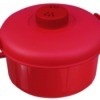
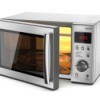
I am looking for instructions for microwave pressure cooker, as ours arrived without any. Thanks.
By rick from Cambridge, England
Add your voice! Click below to answer. ThriftyFun is powered by your wisdom!
Ok Folks, Here's what I found out by experimentation and observation. I looked all over the place and the best I can figure "There is no such thing as an instruction manual for the goofy cooker, only that flimsy cook book. I took it completely apart and noted how it was designed. It is not, in fact, a, true pressure cooker it just trap a bit of steam at a very low pressure and speed cooking just a bit. It cannot blow up!
So here is how it works:
1) Note there are slotted holes in the black knob, line them up with handles.
2) put in water and ingredients lock lid down with black latches and cook as necessary.
This product is just a doo-dah gadget that helps a bit, maybe!
Thank you for this info
Can you tell me how to buy parts for this contraption? I never used it only the one time when I first got it and the pressure valve was no good. I spent $70 for nothing could you help?
Its a little white pressure Bobing control on left side
Recipes & instruction cards for Tupperware, unsure of your brand:
www.hippressurecooking.com/
Their site also has some other microwave manuals listed at:
I hope one of these resources helps you. Otherwise, you may search for your brand name, product name, and 'manual' - there seem to be manuals available online for lots of things.
What brand or model was it?
If it was Micro Master Microwave Pressure Cooker (As Seen On TV) it sounds like a lot of people received theirs without any instructions inside.
This link provides GENERAL instructions but I would be leery operating it without manufacturer's instructions.
www.ehow.com/
I would call/email the company who made it or the company who sold it and ask them to mail you the instructions.
If by chance it was a Nordic Ware Microwave Tender Cooker you can contact them here:
www.nordicware.com/
Once I rec'd a small appliance as a gift, and it had no instructions. I searched online for the manufacturer, and contacted them (I think I called, but e-mail will probably work, too). I explained what happened; they were very friendly and immediately sent me a manual. You should give it a try!
I need an instruction and recipe book for the The MicroMaster microwave presssurecooker
Ive had my micro master for years I have bought about 20 of them as a gift to family n friends they love the way my rice comes out n being able to cook food init with out water except for rice all vapors are from the steam of the vegetables broccoli,asparagus n even baked potatoes omg everyone loved the way this product works they are so happy with thier gift they went n bought extras for thier friends and family its a fabulous gift for kids in collage little mess to clean and dishwasher safe n fast fresh homemade food for all on the go i wish I can find more because mine are getting old Ive had it for 15 years lol it last a longtime for 1 cup of rice you put 2 cups of water For 15 minutes but everything else vegetables no water needed put ur season on it n pop in microwave n set timer accordingly to how much you have in it
Add your voice! Click below to answer. ThriftyFun is powered by your wisdom!