How do I print from an external hard drive?
By Ann Odom from TX
Add your voice! Click below to answer. ThriftyFun is powered by your wisdom!
Your external hard drive is just that. It's like a file cabinet in the next room, but bigger!
Anything your EHD holds can be opened, and printed. For instance, I can call up a craft shot and print it, a family photo, etc.
On your menu or desktop (or sometimes the 'my computer'), you can see the icon. Double click, and it opens. If you are organized, you most likely have like things in folders. If not, it's a good thing to do.
Once you find the item you want, you can do one of two things. First, you can right click, click on copy, then open a word doc and click on that, then click on paste. Should your photo be really big, don't panic. Right click on the photo, and your menu will have the bottom option which is 'format picture' or something similar, depending on your program.
Click on that, and your tabs up on top will offer 'size'. When you click on that, you will have the option to reduce the width and length, but you only have to do the first. If you play with it a bit, you will see that the 2nd dimension changes with the first one. You won't see the size of the photo change till you tell it what size you want it to be. If it's too small you can right click again and keep changing it.
Once you find the right size, you can click on file then print, say how many, etc. The nice thing about this method is, you can put 9 wallet sizes on one sheet, just by right clicking on the finished photo and hitting "copy" then going to the next white space and clicking on that and clicking "paste". This method is for when you want to save the image.
The other method is quicker, and allows you to save it as well, but just as a photo. Simply right click on the photo you want saved, click on "save picture as" or if you don't care about saving the photo, just choose "print picture" and go from there.
Just remember the external hard drive is just a larger version of your files on the computer, but with more storage space and more protection from hackers, crashes, or that soda you never thought you would spill on the tower.
Hope this helped. Poor But Proud
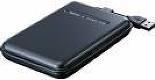
Your external hard drive stuff will be found when clicking on 'my computer' and will show different drives. For instance , as far as I know, the main drive is always known as Local Disk C. My external disk is Local Disk F. Find your external drive, open it and then find what you want to print.
Add your voice! Click below to answer. ThriftyFun is powered by your wisdom!