Since an assortment of creative passwords and other info is too much to remember when accessing your favorite websites, you might find the following tip useful:
Add your voice! Click below to comment. ThriftyFun is powered by your wisdom!
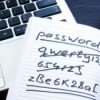
To keep my passwords safe I use a jounal and have used an address book. When we travel I take my book with me. So when I use a friend or family computer I have all my information with me. But instead of writting down the password on certain sites such as my bank & credit cards etc.
Another suggestion, which prevents anyone, friend or foe, from finding your cards is to 1) use the name of the site, such as "Yahoo" and add a particular number to the end of it -- yahoo15 -- for instance; or 2) keep passwords in an address book (non-computerized) and write things like "the usual" or "dear boy" next to the site name. The trigger of "dear boy" brings a particular person to mind that no one else would deduce, plus a number at the end of it. So "dear boy" might prompt me to enter "joe29" if my son (I don't have one) were named joe and 29 has an important meaning for that name. Hope this helps.
Use RoboForm on your computer to hold password and easy fill in.
I'm normally on either my home or office computer. I keep a file on my computer's desktop labeled PWL for password list. I'm the only one using either machine so no worries about anyone accessing them. In these notepad or wordpad text files, I list the website, log-in, password and answers to any of the privacy questions. I use Firefox for internet access and allow it to remember as many of the passwords as possible. The exceptions are my financial accounts, just in case anyone would hack into the files. Those are written on my paper bill paying file folder. I also use the "usual" for any passwords or log-ins that I can choose myself and repeat.
This has come in handy at work when I've been out of the office and someone else has had to do my job and needed the PWL. Plus, with it being typed in, there is no question of S vs. 5, I vs 1, etc.
I'm normally on either my home or office computer. I keep a file on my computer's desktop labeled PWL for password list. I'm the only one using either machine so no worries about anyone accessing them. In these notepad or wordpad text files, I list the website, log-in, password and answers to any of the privacy questions. I use Firefox for internet access and allow it to remember as many of the passwords as possible. The exceptions are my financial accounts, just in case anyone would hack into the files. Those are written on my paper bill paying file folder. I also use the "usual" for any passwords or log-ins that I can choose myself and repeat.
This has come in handy at work when I've been out of the office and someone else has had to do my job and needed the PWL. Plus, with it being typed in, there is no question of S vs. 5, I vs 1, etc.
I always used to have Post-it notes stuck all over my computer desk until someone suggested an address book. This has been wonderful for me as it's alphabetic & room enough for any information needed for each website.
Thanks so much for the tip! Your idea helped me organize my passwords. I had them in a obsolete word processing file so I couldn't update it. I just kept handwriting on my printed sheet and nothing was in order. It was a mess! So...thanks to you, I went out and purchased a Rolodex today (the store didn't have any index files but this works just as well). All my passwords are now handy and in alphabetical order. And, it will be so easy to update it. Thanks again!
I use an old fashion rolodex to keep password info, tips, and hints etc. So easy to just flip through and find what I need.
I use a telephone address book to keep all my different passwords and screen names.
I put my passwords, user names on word pad stored on a usb jump drive key chain. Always with me and all I have to do is copy and paste... * don't forget to erase the clipboard *.
Add your voice! Click below to comment. ThriftyFun is powered by your wisdom!