ThriftyFun Logo
Home   Find   Ask   Share   Answer   Join   Index   Login  
 
 User Login:  Username:    Password:      Forgot It?  | Join ThriftyFun!

 - Beauty
 - Budget and Finance
 - Cleaning
 - Consumer Advice
 - Craft Projects
 - Craft Tips
 - Food Tips
 - Garage Sales
 - Gardening
 - Gifts
 - Green Living
 - Home Improvement
 - Organizing
 - Parenting
 - Parties
 - Pest Control
 - Pets
 - Product Reviews
 - Recipes
 - Repair
 - Weddings for Less

RSS Feed
About Us
Media
Advertising
Contact Us
Privacy Statement
Disclaimer

Use Receipts to Make a Priority Grocery List

1x1
Date: 07/27/2009 Topics: Better Living > Frugal Living > Shopping | Food Tips & Info > Grocery Shopping  
1x1
Post Feedback | Get Responses | Bookmark | Link | Print | Print (With Feedback) | Rate: Thumbs Up Thumbs Down | Bookmark and Share
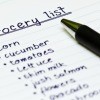
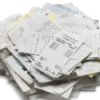
I have a very limited of money to spent on groceries. Since I buy most of my food from Save-A-Lot, I have saved my receipts each week. When I had about a month's worth, I began making my grocery list from these receipts, as they list all the prices.

If I only have $40.00 to spend, I tally the items using the calculator and my receipts. I start with "must haves" like milk, bread, eggs, then secondly with meats and dinner items, keeping track of the total.

Then if there is money still left, I put down chips, snacks, and colas. When I run out of money, that's my list with everything totaled, it even shows the tax. I don't know how many times this has saved me from running over my budget.

By Sanmer25 from Wilson, AR

(1x1 graphic )
Previous: Link: Ladies Book of Knitting - 1886 ThriftyFun Next: Craft Project: Hallway Picture Ledge
(1x1 graphic )
1x1
1x1
 Feedback
1x1
1x1
1x1

By micksgirl (312) Profile Contact
http://homeplansoftware.com/shoplist.htm
I use this freeware. I do the same thing you do but I put it into this shopping list software that I downloaded several years ago for free. It has a place to add items, prices, amounts. You click new to make a new shopping list and just go thru the categories double clicking to add item to grocery list and you can see at the bottom a running total of what you have on the list. If price changes on item on the list just right click and click edit and change price. Right clicking in categories means you can add new category, or in category list right clicking means you can add new item to that category.

Posted on 08/12/2009 | Report Spam or Abuse

By susanmajp (944) Profile Contact
Get a small 3-ring binder and mark all this down for your very own price book. Mark the store, item, price, size, and cost per pound. You'll be surprised that things that you thought were bargains, really aren't. Once done, it really simplifies shopping. Then, when you have money left over, don't buy snacks. Rather, invest it in stand-bys that you use to start your own stockpile. Once established, you only have to shop loss leaders, and will never pay full price for anything again. I often only go to the store once a month (but I do have a garden and freeze and can), and my stockpile doesn't take up too much space. It saves my so much time and money. Good luck!

Posted on 07/29/2009 | Report Spam or Abuse

1x1
1x1
 Post Feedback:
1x1
1x1
1x1

Login using the form on the top of the page to post feedback (if you are a registered user). If you have not yet registered, click here to do so. It's FREE!.

1x1
(1x1 graphic )

© 1997-2009 ThriftyFun.com - Design by Cumuli Design
Disclaimer: ThriftyFun.com cannot accept any responsibility for any injury or damage that you may cause to yourself, others, or property when following any advice given on this site. Read the full disclaimer. If you find any information on ThriftyFun.com or in our newsletters that is either erroneous and/or potentially harmful to others, please Contact Us, immediately.