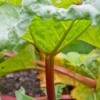
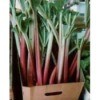
Today is July 23, and just yesterday I was given some rhubarb to transplant, I have planted it in full sun, and have spaced the root out some. My question is today, just 1 day later, my rhubarb is limp looking, and I'm not sure if it is going to make it. Can you tell me if there is anything that I can do to keep it alive and growing or should I just cut down the stalk's that I do have and hope for more next year?
Add your voice! Click below to answer. ThriftyFun is powered by your wisdom!
Keep it nice and moist, watering it thoroughly every other day. Rhubarbs have heavy leaves, and it's asking a lot for a transplant to hold up as if everything's a-ok. Just pamper it this year, and it'll come back better than ever next year. Don't give up- they're hardy little boogers, and you'll be cursing its size in no time!
I agree with Beth, but I would like to add a tip my grandfather gave me that still works today, water it with a bottle of fizzy lemonade for the first few days after transplanting, not sure how it works, but it also works for houseplants in need of TLC, and even cut flowers!
Most plants go 'limp' for a day or two after transplanting it's a shock to their systems. As said, they should pick up. My son and his wife moved into a house they had just bought around two years ago and there was a bit of a vegie garden up the back which had rhubarb and silver beet growing in it.
Well, being busy people, work, study, a baby girl, they virtually have neglected that vegie patch for 2 years and the rhubarb and silver beet are still thriving, getting along nicely on the their own.
Fresh transplants in full sun should be shaded for a few days to get used to the yard. Then gradually remove the shade, keeping the sunnyiest part of the day the last time to be shaded.
Add your voice! Click below to answer. ThriftyFun is powered by your wisdom!