I am by no means electronically gifted. And any time I have to unplug my computer, then plug it all back in again, I used to invariably have to holler for help! I finally came up with a simple solution.
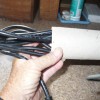
I turned the tower around so I could get to the back easily. Then I took small pieces of paper and printed bold numbers on each one: 1, 2, 3, etc. I covered each paper with tape (front and back) and then taped a number to each cord close to where it plugs in at. Then on the tower itself, I took a medium-fine permanent magic marker and marked the corresponding number next to where each cord is plugged in.
Now if I replace a piece of equipment (get a new printer for instance) if I can't use the same cord, then I simply mark the new cord in the same way with the same number and plug it into the same place. If I get something new, I mark it the same way.
Or when I get the computer back from being repaired (believe me I threaten the repair shop with their LIVES if they remove my markings!), it only takes me a couple of minutes to hook everything back up! This method has saved me many hours of frustration, tears, and words that the fella down below would blush at!
By Cricket from Parkton, NC
Add your voice! Click below to comment. ThriftyFun is powered by your wisdom!
Add your voice! Click below to comment. ThriftyFun is powered by your wisdom!