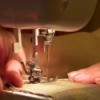
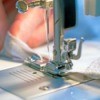
I am a novice sewer but I just bought a Brother computerized machine on Ebay. I have read the manual numerous times but it really is like a foreign language. I need help with threading and proper placement of threads. My thread gets tangled and it isn't creating a stitch at all. Any advice? I have looked at sew.org and tons of other sites, but to be honest the pictures are not close enough and instruction not clear enough for me.
By Melissa Phillips from NY
Add your voice! Click below to answer. ThriftyFun is powered by your wisdom!

I suggest you call a sewing machine repair place, and ask them if they will help & show you how to operate it. Or call a school. Ask them do they have anybody there that teaches sewing & can they help you or call a fabric store, ask them the same question, good luck.
I have had Brother Embroidery and/or sewing machines for about 15 years. These computerized machines are very easy to use once you get the techniques down, but I don't know how I would have gotten started without getting some instruction in the beginning.
My suggestion would be to contact the nearest Brother dealer and find out about any classes they offer. Paying for a class will be cheaper and much less frustrating in the long run!
JoAnn Fabrics is really great for getting instructions. Sometimes they have classes and very inexpensive. Sometimes they also have someone come into to repair machines for customers as well and if you make an appointment, you can bring it in and he will check it out and give you the "know how" to operate your new machine. Really is the best way to go through JoAnn's or another fabrics store for an individual repair shop could cost you more than you are willing to pay! Hopefully this will help and please let us all know what worked out for you. Happy sewing.
Add your voice! Click below to answer. ThriftyFun is powered by your wisdom!