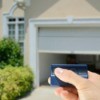
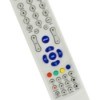
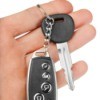
I have a Sears garage door and after setting the car remote opener the hand held does not work. The second garage opens with both (the car and the hand held). How can I reprogram without canceling the car controlled opener? Thanks for your help.
By gotta fixit from NY
Add your voice! Click below to answer. ThriftyFun is powered by your wisdom!
First I would look in the owners manual. They usually have information how to program the remote. In my case, I my doors are from the Overhead Door Co. The manual for programing the remote states.
1. Locate learn code button and learn indicator on the power head.
2. Press and release learn code button on power head. -LED on power head blinks 2 times a second.
3. Press and release a remote control button. -LED on power head stops blinking.
4. LED goes out. Remote is now programmed.
Note: factory sets different codes for each remote control. When programming remote control keep at least 24 inches away from antenna. So you have to be at least 24 inches away from the power head but I would be no further than 30 inches.
Open up your hand held remote and you will see numbers from zero through 9. Now get up on a ladder and open up your overhead mechanism and you will see another gizmo with numbers from zero through 9. both the remote and the overhead gizmo must be programmed with the same exact numbers. After you have changed both to read the same your garage door opener should work fine.
Before you go reprogramming, check to make sure that there is not an obstruction for the electric eye. If there is a spider web, or a leaf or something, it may prevent the beam from allowing passage.
You must reprogram your hand held remote. First get the car out of the garage. Then get a ladder and position it under the motor of the garage door opener. There should be a little black button on the motor which is the learn button. It may be near the light bulb or on the side or back of the motor. After you locate the learn button push it in and while the light above the learn button is blinking point and press the button on your hand held remote. Once the light stops blinking (on the learn button) your hand held opener should work.
Where is the battery in remote located
It worked. Thanks
Add your voice! Click below to answer. ThriftyFun is powered by your wisdom!