ThriftyFun Logo
Home   Find   Ask   Share   Answer   Join   Index   Login  
 
 User Login:  Username:    Password:      Forgot It?  | Join ThriftyFun!

 - Beauty
 - Budget and Finance
 - Cleaning
 - Consumer Advice
 - Craft Projects
 - Craft Tips
 - Food Tips
 - Garage Sales
 - Gardening
 - Gifts
 - Green Living
 - Home Improvement
 - Organizing
 - Parenting
 - Parties
 - Pest Control
 - Pets
 - Product Reviews
 - Recipes
 - Repair
 - Weddings for Less

RSS Feed
About Us
Media
Advertising
Contact Us
Privacy Statement
Disclaimer

Spilled Water on Electrical Devices or Keyboards

1x1
Date: 05/10/2006 Topic: Repair > Computers  
1x1
Post Feedback | Get Responses | Bookmark | Link | Print | Print (With Feedback) | Rate: Thumbs Up Thumbs Down | Bookmark and Share
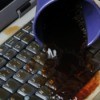
Ever get one of your electric controls or your keyboards wet from an accidental spill? You can save it from short-circuiting by immediately disconnecting, turning upside down and shaking out whatever water (or other liquid) you can.

Once most of the water seems to be out, keep your device upside down and dry with a hair dryer until no more water droplets appear. I Just did this with my TV remote - and it works! (Whereas years ago I got coffee into a computer keyboard at work and had to play dumb and swap it for another one!)

By Pam from L.A., CA
(1x1 graphic )
Previous: Meat Slicer for Slicing Potatoes ThriftyFun Next: Flea and Tick Season
(1x1 graphic )
1x1
1x1
 Feedback
1x1
1x1
1x1

By Pat (Guest Post)
I washed my keyboard with soap and water and a brush, letting it dry well, of course, before using. This was recommended on a computer group and worked well for me. Some apparently even put keyboards in the dishwasher though I wasn't brave enough to do that.

Posted on 05/11/2006 | Report Spam or Abuse

1x1
1x1
 Post Feedback:
1x1
1x1
1x1

Login using the form on the top of the page to post feedback (if you are a registered user). If you have not yet registered, click here to do so. It's FREE!.

1x1
(1x1 graphic )

© 1997-2009 ThriftyFun.com - Design by Cumuli Design
Disclaimer: ThriftyFun.com cannot accept any responsibility for any injury or damage that you may cause to yourself, others, or property when following any advice given on this site. Read the full disclaimer. If you find any information on ThriftyFun.com or in our newsletters that is either erroneous and/or potentially harmful to others, please Contact Us, immediately.