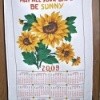
If you have Microsoft Publisher, they have a great calendar that is 8.5x11 called Understated. I used it to make a family calendar for my sisters one year. Mom's, Dad's and our baby pictures were the cover, and different family photos for each month. You can even add pictures on the calendar page and add birth dates. FYI, I am using an old version of publisher but it should still be in newer versions.
By
03/07/2009
The companies that make printers: Epson, HP etc all have calendars in their project sites that are free. Many of the camera manufacturers also have one. Sony, Kodak, etc. The Microsoft site also has calendars that you can download and create. Have fun
Here are archived discussions related to this page.
Find nice pictures of your family and scan them into your computer. Get any of the free Calendar programs off the net (Freeware) and build yourself a calendar. This is especially nice for grandparents if you live far away.
By Debra in Colorado
RE: Make a Family Calendar
Doesn't it make you feel good to get a birthday card from that sweet aunt who just seems to never forget a birthday? My sister printed a family calender with all the family's birthdays printed on that particular day. Now there are 4 of us who are faithfully sending a card to our family members on their birthday. (04/04/2005)
I saw this idea at a friend's house, and asked for the tools to make it work from my grown daughter for Christmas last year. Purchase 2 dry erase calendars from your favorite office supply store. Mine all came from WalMart. Add a plain dry erase board, a organizer pouch, markers and eraser, and you have a message center that changes with the months!
It's been the best tool ever this year, we all use it in our household, and we know where to look to find dates, etc. When your current month is over, simply erase and add the next 'next' month (November and December). Use markers to color code events, paydays, anything you wish. All this from a gal who is not known for her organizational skills. Best Christmas present ever.
Once you try the above variations, be sure to come back and give a "thumbs up" to the one that worked the best for you. Do you have a better variation? Click here to share it!
Answer this Question
Your thoughts are welcomed and appreciated.
Enter your answer here!