Why do pictures come out with a blue tint from an HP printer? I went to their site, they will charge for an answer. I will not pay. I have also searched online, no luck. Thanks very much.
By kathleen williams from Dothan
Add your voice! Click below to answer. ThriftyFun is powered by your wisdom!
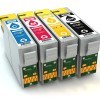
If the other feedback (checking cartridges) doesn't help HP does have a free chat with support tech. Have you tried that? I've used it before for other problems. I do think though it is your color ink cartridge being low or it needs configured.
You can usually click on your printer, click properties and wander around the buttons and tabs, and there should be a place to change the "warmth" or "coolness" of your pictures to be printed.
mine will have a reddish hue when the printer is acting up. hp envys had a huge problem with it happening. the blue depedning on if it is just a hue issue or if the picture is almost all blue no black means your heads are clogged mmore then likely and your tricolor is not printing all the colors.
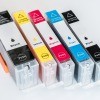
When mine does that, it means I need a new color ink cartridge. HP printers usually have a "Toolbox" selection in their settings where you can check the levels of both cartridges. Good luck.
Thanks very much for the answer, good luck.
Greetings. Have you tried cleaning the printing heads? Also, run an alignment.
Add your voice! Click below to answer. ThriftyFun is powered by your wisdom!