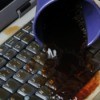
A technician pulled a lot of dust out of my son's keyboard, after his fan quit working. How do you clear dust out of your keyboard?
By Tamara
Add your voice! Click below to answer. ThriftyFun is powered by your wisdom!
There are those who will say canned air is a good idea, but the IT guys at my job before I retired in '09 used mini-vacuum attachments and pulled the dust out. They said the canned air only blows the dust around, doesn't remove it, and that dust in the motherboard killer.
Use the brush attachment in the mini-vac kit to clean the dust and debris from the key board and make sure to also run it over any vents you can see. I use a MacBook now, but when I had a PC I would vac the vents on the CPU tower weekly once the IT guys told me that dust accumulation on the fan blades would slow down the cooling abilities, and eventually kill the motherboard through overheating.
Make sure the computer is turned off when you clean it.
I use the mini-vac once a week now on the laptop, front to back. Scares me to think about the cost of replacing it!
Frugalsurvie, where do you find a mini vacuum?
My desktop keyboard doesn't get very dusty under the keys but about every six months I gently pop the keys off one row at a time with a butter knife being sure to keep the keys lined up in the same order on the desk. Then I simply use dampened Q-tips to clean the exposed keyboard area, replace the keys and start on the next row. It only takes about fifteen minutes tops and I don't have to spend any money other than for the Q-tips which are inexpensive and already have on hand.
As someone else mentioned; be sure to turn your computer off when cleaning the keyboard (or the monitor or tower).
This is just one sample of the mini vacs. You can also get them at the office supply stores. I hope that helps.
www.scientificsonline.com/
PBP
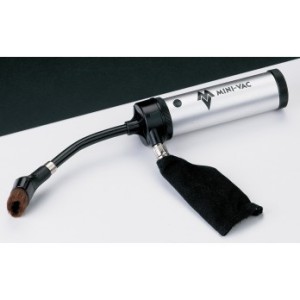
LanieGirl, in addition to the link and places PoorButProud posted, you can try in the computer section of the big box discount stores-that's where I got mine (WalMrat but I've also seen them in Target). I think I've seen them in drug stores, too.
@Deeli, LOL, my cats loved the feather duster and would chase it whenever I used it to tidy up around the computer. Little beggars shredded it one day. The vacuum on the other hand wasn't their favourite household cleaning device:)
Add your voice! Click below to answer. ThriftyFun is powered by your wisdom!