In an effort to cut down the incredible number of cookbooks I had amassed, I purposely went through each cookbook and typed out the few recipes from each that we really used and liked. I then compiled them in a 3-ring notebook with dividers (soups, entrees, desserts, etc.) and sold off at garage sales the cookbooks.
Add your voice! Click below to comment. ThriftyFun is powered by your wisdom!
That's a great idea and one I should do. I'd probably just scan or photo copy the recipes I really use or think I'd use. I find anymore I can find most any recipe I want on the internet so no reason to store so many cookbooks. Many woman still do like to collect cookbooks so either sell them at garage sales, list on ebay or donate to charity. I'd never pitch in the trash! I print many recipes from online. I was getting so many and finally recently got them organized. First of all, I always print a recipe on ea side of the paper (something similar/related), then place inside a plastic sheet protector and put those in these nice plastic pocket folders that have the metal holders in the middle.
I HAVE STARTED DOING THE SAME THING.GETTING RID OF ONE I THOUGHT I WOULD USE BUT NEVER DID. ALSO WENT TO WWW.ALENKASPRINTABLES.COM
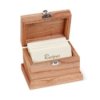
AND RE TYPED SOME OF THEM ONTO SMALLER RECIPE CARDS
Add your voice! Click below to comment. ThriftyFun is powered by your wisdom!