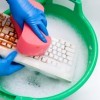
 The best way to clean your laptop or tower keyboard is to turn it over and shake the dust out of it then run the vacuum brush over it. If you have sticky keyboards, you can simply clean them with a damp cloth and small toothbrush. I recommend a dry toothbrush, so you don't get underneath the keys wet.
Have a policy of not eating when you are near your computer. This prevents a lot of costly mishaps. If you spill something on it, get it up immediately. If it is a large amount of liquid, try drying it with a hair dryer. Keyboards have a protective layer underneath but that doesn't mean it will keep your electronics working.
To clean your screen, simply use a damp cloth. Dry immediately. Take the time to vacuum the back of your tower as well. It gets dirt in it and can stop your fan from cooling which leads to greater problems. Hope this helps someone along the way.
Source: My husband works on computers.
By gem from VA
This page contains the following solutions.
I recently noticed how dirty one of our computer keyboards had become. I tried a baby wipe and it didn't work. I wasn't sure how to clean the keys until my mom suggested trying a damp microfiber.
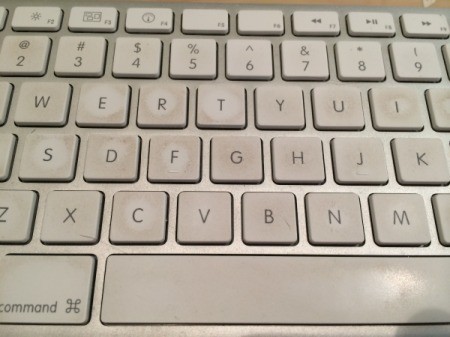
To clean a sticking keyboard, grab a bunch of Q-tips and a bottle of isopropyl alcohol. Gently pop off one sticky key at a time. Clean underneath and press back on.
Even cigarette ashes are bad for the keyboard, also cat hair, dander, and dust. I used to turn the keyboard upside down and gently tap it on the garbage can. A lot of stuff fell out.
I clean my keyboard using the alcohol wipes that are used to clean an area before sticking a needle in you. I have so many of them, the supply company keeps sending me a whole box, and I only use two or three each time I need them.
I use an old blush brush that has been washed and dried to swish away dust and things off my laptop