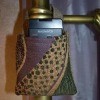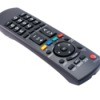
The TV remote has disappeared again! So annoying! Has anyone seen or constructed something that is a transparent case which holds the remote and is attached to a coiled wire linked to a piece of furniture preventing travel out of the room?
Add your voice! Click below to answer. ThriftyFun is powered by your wisdom!
Try a piece of sting and tie it to the leg of your couch. This is the Thrifty site.
edie
on that invention show..someone attached a wide ribbon to the back, leaving a length of a couple feet...that way if it slips in between the cushions...you can still see the ribbon. or if you want to be fancy: get one of those car key finders...glue it on and put the finders remote in a drawer where you can always get it.
good luck!
I know this will be funny, but it kinda makes a "wild" kind of sense. My 11-year-old step-son had what I thought was a brilliant idea if only somebody could figure out how to make it work.
Ok, this isn't a solution, but a question for manufacturers. Why don't remotes come with a beeper, and TV's come with a button you can push to make the darn remote beep so you can find it?
If it weren't for being able to call my cell phone when I lose it, I'd never find it at all!
I finally bought a second remote. I can usually find one or the other.
You might try the Glad Wrap cling that you press together to make a bag for it, then punch a hole in the corner, reinforce it with tape or glue and then take a length of ribbon and attach with a pin. Put another pin on the other side of the ribbon and pin to the couch.
Remotes are in a ziploc bag, sewn down the middle to make 2 separate compartments so they don't hit each other. A coiled wire is attached to the bag and to a string encircling the coaster holder. Looks tacky, but sure got the message across to the teen who lost it in the first place (yet again!).
Try turning them over. I think the buttons keep them from falling as easy.I do this all the time. I hope this helps you as much as it has me.
Christine L. IN
My M-I-L is bedridden and is always losing the remote. Also, when the phone rings, she has problems finding a pen and paper on her bedside table. I purchased an inexpensive binder-type day planner with a front pocket that usually holds your cell phone.
I bought a remote caddy and "trained" my hubby to ALWAYS put the remotes there. My motto pick a place for something an ALWAYS put it back when done, and you will always FIND it. Works for everything that can get misplaced. Now if I could train the baby to do the same thing!!!!
There is a TV with a beep. You have to whistle to make it beep. My dog could actually bark at a level where the remote would beep and he would go to it. Great little poodle, my Paddy. But, for myself I wonder why we cannot have reading glasses that beep when you whistle. The technology must exist by now. That TV was at least 20 years old and only 100 were produced. Will let you know the name and will write and ask them if they still produce.
Add your voice! Click below to answer. ThriftyFun is powered by your wisdom!