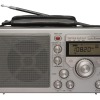
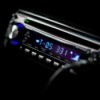
Spring and summer are upon us, and my husband bought us a weather alert radio. These last years, I was tired of staying up half the night watching the weather. My husband bought us a midland radio, and I think I finally have it figured out. I put our single S.A.M.E. code in, available at http://www.nws.noaa.gov/nwr/indexnw.htm. But I never put the weather radio on our specific channel.
Last night, we had a severe thunderstorm watch box, and then a severe thunderstorm warning, and my weather alert radio never went off. If you believe in guardian angels, mine woke me up, and made me look at the Weather Channel, and our weather radio never gave us an alert.
This morning, I reread the instructions on our new weather radio. I was receiving a weather signal from maybe 100 miles away, but not our local NOAA/NWS. So, I changed the channel on our NOAA/NWS weather radio to our county. It comes in loud and strong. We are still set on the single S.A.M.E. code for our county, and Friday afternoon we may get to find out if I finally programmed it correctly, as we may have severe thunderstorms or a possible tornado in our area later in the afternoon or evening.
The manual isn't very user friendly. It tells how to set the clock, the wakeup alarm, whether you want message, audio, or voice, and backlighting, but it doesn't really explain how the weather radio and S.A.M.E. codes work together. Maybe, if I had been in "multiple same codes" the alarm would have gone off last night. I don't know yet.
If you have gotten one of these radios, don't give up. I know someone who has a weather radio, and it drives them nuts because it won't shut up. I am currently trying to help them set it so it won't drive them up a wall with warnings they don't need. I think if we work together, we can remedy this problem with weather radios.
Add your voice! Click below to comment. ThriftyFun is powered by your wisdom!