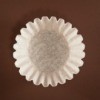
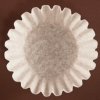
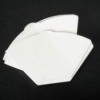
An easy way to get one coffee filter out of a stack is to use a pencil eraser. Simply place the eraser firmly against the side of top filter and slide upwards. This should easily separate one coffee filter and save you a great deal of frustration!
By April from Albany, GA
Add your voice! Click below to comment. ThriftyFun is powered by your wisdom!
Clever idea :-) Wetting a finger tip will work, too :-)
Take the bunch and turn them inside out and voila. They are all separated.
lrrn567, I just had to get up immediately from the computer to give your idea a try! Excellent! Thanks for sharing :-)
I turn the stack inside out, like Irrn567 - never have trouble, especially late at night when I'm trying to set the machine up for morning and all I want to do is get some sleep.
I just 'scrape' my thumb nail lightly from top to bottom on the outside, works for me.
I keep a rubber fingertip protector handy for the purpose of coaxing the coffee filters to separate.
I turn mine upside down too, very simple and nothing to lose (My luck, it would roll somewhere haahaa half asleep I wouldn't find it). However, I think I love the eraser idea, too.
Add your voice! Click below to comment. ThriftyFun is powered by your wisdom!
To help separate coffee filters, flip a bunch inside out. That loosens them up and are easier to pull apart, especially first thing in the morning!
By Dee
Thanks. I'll go do mine right now. Excuse me. (09/22/2005)
By
I don't know why, but the brown coffee filters are much easier to separate than the white ones. Go figure. (10/30/2007)
By Bonnie Varga