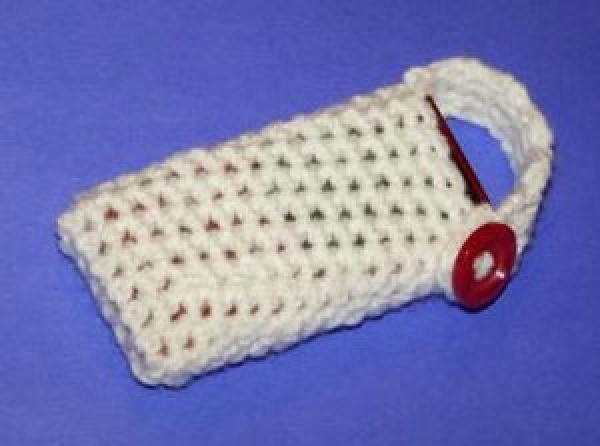
This cute little belt holster will keep your MP3 player, cell phone, or camera safe while still easily accessible. It works up quickly and is very easy to customize - the possibilities are endless!
This pattern has been written to fit an 8 GB Zune MP3 player but can be made to fit any MP3 player, cell phone, or even a camera by adding or subtracting stitches to the beginning chain and increasing or decreasing the amount of rows. Make yours unique by using different yarn and embellishments!
Approximate Time 1 to 2 hours depending on skill level
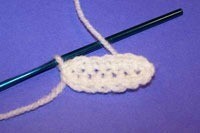
Chain 7: 2SC in blo of second CH from hook. SC in (blo) of next 4 CH. 2 SC (blo) in last CH. Working along opposite side of chain, SC in same CH as last ST. SC in next 4 CH. SC in beginning CH. SL ST to first SC. CH 1. Do not turn. (14 SC)
Round 1: SC in same ST as joining and in each SC around. Do not join. Mark last SC of round with stitch marker. (14 SC)
Rounds 2-14: SC in each sc around. Do not join. Mark last SC of round with stitch marker. (14 SC)
Round 15: SC in each sc around. Join with SL ST to beginning SC of round. (14 SC)
End off yarn.
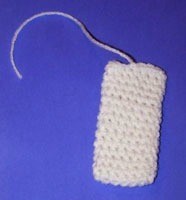
Row 1: find center SC of either side of holster, attach yarn to the SC on the right side of center. CH 1, SC in same ST. SC in next two SC. CH 1, turn. (3 SC)
Rows 2-9: sc in each SC across. Ch 1, turn. (3 SC)
Row 10: SC in each sc across.
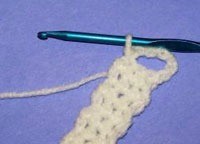
Row 11: CH 6 loosely, SL ST to first SC of row 10. CH 1, turn.
Row 12: SL ST in each ch across. SL ST in last SC of row 10.
End off.
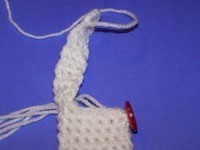
With yarn needle, sew button to holster. Center button using opposite three SC used for beginning the strap.
Weave in all ends. Enjoy!
By Dominique S. from Kalamazoo, MI
Add your voice! Click below to comment. ThriftyFun is powered by your wisdom!