I have so many photos in a one big box. What can I do to get them all organized?
Thank you.
By Debbie from Austin, TX
Add your voice! Click below to answer. ThriftyFun is powered by your wisdom!
I put all my pictures in albums, for instance,with my brother, I put all his pictures on one page with all his family & etc. Hope this helps, good luck.
When I had this problem, I took envelopes and sorted them by approximate date. I had a pile from childhood, from the teenage years, college, before kids, etc. Then I can take each separate group and organize them better. I've been taking each group and doing scrapbooks, which is slow going but very nice when they are done.
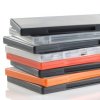
There are also photo boxes with photo sized tabs to further help organize them.
Good luck!
I found photo boxes at my local dollar store. They come with dividers and you could sort by person in photos, by location, by year, by occasion, whatever you want. Or get a couple of multi-pocket expandable file folders with write-able tabs in the same place and do it that way.
I separated my photos by the person; all of the photos for my nephew in one pile, my niece in another, etc.
Then I started with them as infants and up till now. I put any photos that I was unsure of in the back of the album.
I made quick work of it and didn't make myself crazy by trying to remember where exactly the photos went; I guestimated, but I finished quickly, which was my goal.
It's funny because I did the same thing with my husband's children and showed it to them. They thought I made it for them and took them home!
But they loved having all their photos in one place and I think that's the thing.
Any photos of families I put in a separate album. Like photos of my sister, her ex, and their two children. went very quickly!
I did this a few years ago. First I sat down and looked at every picture and wrote on the back WHO was in the photo and if possible, where. So many old family pictures I have we are unsure who the person is. Then I seperated them by year to the best of my ability and put them is photo storage boxes I bought at a craft store for cheap. Good luck and grab the tissues because I cried after looking at all the pictures of my kids as babies and loved ones no longer with us. But I sure felt good when that project was done!
Add your voice! Click below to answer. ThriftyFun is powered by your wisdom!
All my current cameras are digital; and that in itself helps them to be organized. When I take a disc to load unto my computer, I put it under "camera, to be organized." When time allows (now or later), I go through and sort all the pictures into folders according to event, person, etc.
This is what I did for my older photos. Over a long period of time, I took pages out of my albums and scanned them into the computer. Dd not remove your photos from albums, as this might destroy and/or scar your photos. Then again, when time allowed, I went through this folder and since each page has multiple pictures, I used a cut and paste program available with the photo program already in my computer, and put them once again in the correct folders. As I "clean up" these sources, I erased the original file in my computer (since now everything would be duplicated!).
It does not happen overnight; these processes took some time, but each time I dedicated some time to work on them, I was filled with my memories and found the time to pass quickly and enjoyably. Also good is that when I got done with, for instance: Alex (my son), I burned a disc and sent it to him. Now he and his wife have copies of all his baby pictures and more as he grew up. A nice way to pass along your family history.
I hope this helps, just take it easy and don't rush.
By Mercedes from Springfield, OH
In your snapshots or photographs, be sure to label or identify on the back, who are in the picture, the date or year when it was taken. Upon your demise, others will know who to pass on your photos to.
By Terri from NV
IF you are going to write on the back of the picture, do NOT write in pen or any other writing medium that has acid in it. It will eat your picture. Also, do not press hard, it will show on the other side of the picture. Be sure to buy a photo pencil that is acid free and write gently. Or, instead of writing all the information on the back of each photo, just give each picture a number or a code of some sort, then take a separate piece of paper or a journal and write all the information about that picture in there. (12/01/2005)