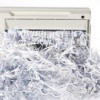
I was shredding paper, and my home paper shredder just quit on me. No noise, no sparks, no anything. It's held together by phillips screws, and being a former electronics tech, I decided to take it apart. (Who can afford a new shredder, employed or not.)
Make sure it is unplugged when you do this! I don't know how many times I took the phillips screws out from the cover. Immediately I was aghast at all the paper dust and paper shreds that were all over the inside of the paper shredder. I immediately cleaned all of that out, wishing I had a brush, but using tweezers, a modified paper clip (just making one side of the paper clip long), and a couple of q-tips, then carefully oiling the fan drive shaft.
I put the Paper Shredder back together, screwed in all the screws, plugged it in, and reverse worked, but the paper part wouldn't work. After more examination, I realized that there is a secondary switch and lever that can't be seen when the whole unit is put together. This is what allows the paper to shred. I lined up the lever with the secondary switch, and using a small screwdriver, (instead of using paper at this point), listened to it, then put the unit back together. It worked. I truly hope this helps other people keep their paper shredders working.
If you use q-tips, or such, don't ever leave the hairs, or whatever they are called on the electronics - ever! Those hairs will just mess everything up.
By Carol Rodriguez from SouthBend, IN
Add your voice! Click below to answer. ThriftyFun is powered by your wisdom!
My feedback got lost, but it was do not allow husband to continually run the address labels you get in the mail through a shredder. His became so gummed up even Liquid Wrench could not dissolve enough of the gunk to resuscitate the machine. I have cleaned many a shredder at work and home and had never had to deal with that. Very expensive lesson.
Put a post it note or post it tape on the top of the shredder: Do not shred labels!!!
The two shredders I have owned both had a timer to keep the shredder from overheating. It just stops in mid-shred. When it cools down (about five minutes), it starts working again.

I'm not handy enough to disassemble my shredder, but I betcha my son-in-law could. He's the genius who taught me how to "de-clog" my shredder right after we bought it. :D
put or less papers at a time and the cards should only be one at a time
Add your voice! Click below to answer. ThriftyFun is powered by your wisdom!