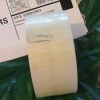
My mother uses a unique way to remember things she has to do or appointments she has to keep. She writes them on a sticky note, and places them at an angle on a cupboard, mirror, fridge, etc.
Add your voice! Click below to comment. ThriftyFun is powered by your wisdom!
That is a great idea! I use a little program that puts stickies on my computer desktop. It remains even after rebooting. Since I am at my computer often during the day, it works for me.
GREAT TIP, seems the older we get the more sticky notes we use
Great idea! My mother in-law used a calendar in her kitchen. She put everyone's birthday,anniversaries, all appointments, when she bought something big like a new refrigerator, on the date this way everyone had the information if they needed it. It also helped everyone keep up with birthdays and anniversaries.
I have another use for sticky notes. When the weather gets real bad such as a lot of lightning etc or power outages I usually unplug my computer from the wall just so it won't get hit by lightning etc. I also do this if I am going away for a trip for a few days or weeks etc. Then I take a sticky note saying "pc unplugged at wall" & attach it to my monitor. That way when I get ready to turn the computer back on I won't panic because it doesn't come on again.
Yeah, they seem to blend in after a while. Crooked would drive me nuts, and get noticed!
It's so true that something crooked is annoying, and therefore gets noticed, so this is a very cool tip! So simple, so why didn't I think of that? Lol!
Add your voice! Click below to comment. ThriftyFun is powered by your wisdom!