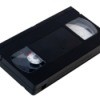
How do you organize VCR tapes? My daughters (3 and 6) pull them out of the cases and put them all over their room. If I could have a "place" for them to put them back, it would be so nice. I don't know where to put them, so it's difficult to ask them to clean them up. Thanks for any info.
By Tammy from Fort McCoy, FL
Add your voice! Click below to answer. ThriftyFun is powered by your wisdom!

The manufacturers have moved from VHS storage units to DVD storage units, but you can probably find them on eBay, CragsList, etc. or maybe a second hand store.
You can store VCR and VHS tapes on their side in a drawer with titles up, or on a shelf. Wherever you store them, you can tell your daughters if they take any out, they will have to put them back. That way you won't have to pick them up yourself, and after having to put them away a couple of times, they will probably leave them alone from then on.
When I or my husband buy shoes we keep the boxes (the sturdy ones are best) and store VHS tapes in them on shelves in a book case. Maybe you could decorate the boxes to make them all similar or more attractive!
My granddaughter had an extra dresser drawer in her bedroom and that is where she keeps her VCR tapes.
For my daughter I have bought an old microwave cart that she keeps in her room. The top part is where her tv sits, second shelf is where her vcr/dvd is on and the bottom shelf is where she keeps her vcrs at (she is autistic and loves to watch her videos and also she always tears the cover off of therm.
Add your voice! Click below to answer. ThriftyFun is powered by your wisdom!