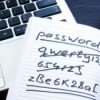
I use a spiral notebook to keep tips, website addresses or phone numbers for companies I might use at gift buying time by the computer. I also write my passwords for different logins on the back cover. It is quick and I don't need to memorize all the different logins.
Add your voice! Click below to comment. ThriftyFun is powered by your wisdom!
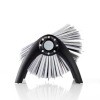
I use a flat roladex for all my logins, websites, etc. This way each is also alphabetical and I can discard one if I need to change the user id and password. Also the back of each little card can be used to write the answers to the questions many sites now ask for extra security.
LI Roe
I do something similar. I have a sprial notebook by my computer, I actually use it as my mouse pad.
When I am exploring I write down web sites I would like to explore or any little tid bit of information. After I decide whether or not I like a site I transfer it's informatin to an old address book. I put it alphabetically under the web address AND the subject. There is also room for access codes and security questions. If I really like a site I use the bookmark feature on my toolbar.
Nitajaye,
I email myself the links for sites I want to check or keep up with - I made myself a folder in my email called favorites to store them in. I also email myself with my information in the subject line of an email, such as Yahoo - my user name - my password. Then I email them to myself at two of my email addresses (just in case something happens to one of them) and after receiving the email, I transfer the email to a folder I made called Memberships. When I can't remember what my user name is for a site or password or whatever, I open the membership folder, do a sort by subject and there it is.
I use a recipe card box for filing computer info. I use the index cards to file alphabetically. This is a real time saver plus I can clear history and cookies for extra security after I'm done surfing!
I have setup an excel file that is also password protected on my computer and a memory stick with a list of websites, userids, passwords, security questions and the answers.
I remember them in my head, and I use mostly the same few passwords for everything.
I can't believe you people all write passwords down!
I keep a journal in my computer desk and on the back pages I write down information about my logins and clues to passwords for each login. Just like so many people I am trying to teach my parents to use a computer. I keep simple instructions for proceedures I use my computer for in a separate journal on my desk as well as their logins and passwords for their accounts in the back. It works quite well!
Add your voice! Click below to comment. ThriftyFun is powered by your wisdom!