What is a good way for a person to keep track of their many pass words?
By Monica Rossi from Sonoma, CA
Add your voice! Click below to answer. ThriftyFun is powered by your wisdom!
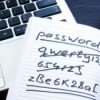
I write them down and carry in my wallet. However, I have a system for "remembering" what they are that it would be very difficult, virtually impossible, for someone to figure out if they don't know me. For example, if my purse was stolen or otherwise invaded.
Here is an example:
Password: Delilah8682
What I write down is: (parenthesis are the "answers", you don't write that down!)
Name of my last dog (= Delilah)
Last 2 numbers of my 2 little brothers birth years (= one bro 86, other bro 82)
More difficult:
892JPR
(= number of nephews and nieces I have)
(last digit of my SS #)
(number of times I have been married)
(best friends first initial)
(best friends last initial)
(first letter of name of my home town)
This "clues" me in on what the password is, but hardly anyone except my family would be able to figure it out. And I have specifically geared it to things they would know /remember just in case something untimely happens to me. Of course, besides that element, you do have to be able to interpret your own clues, so think it out well before you write it out. I have memorized my bank account and of course my email accounts, I don't have to remind myself of those, but my work paycheck account, dental account, etc...I don't get into every day. Hope this helps.
I wrote myself a draft of an e-mail letter and each password is added to it but the e-mail is never sent. It is always an unfinished draft so that I can add more passwords.
Bought an inexpensive address book with alpha tabs. Just instead of writing down addresses I write down the password under the corresponding alpha tab.
ex. under A: AT&T
user id: -----------
password-----------
I always write it in pencil as a I am asked to update my p.w. a lot and it saves me from having to scribble it out.
This has saved me a lot of times over the years. Have got several friends doing this also and they love it.
I have a ledger book on the bookshelf by my computer which I put all my passwords into, user names, etc.
For the basic entries, I use the same one. Meaning my car, my dog, my grandchildren's names. For secure sites I get more creative. But they all go into a ledger book. Do not do back to back so you can copy out and change rather than scribble corrections in.
I have several passwords, all the same theme. But, like my bank accounts and such, I write everything backwords. Should someone get my info, look over my shoulder, or my daughter need them if I am ill, she is the only one who knows what I do. I don't have to remember them, and for me, at least, they are safe. I love all the ideas, too!
I use a small index box and file them under alphabetical tabs on 3x5 index cards. It works out great. I also put all pages I use in my favorites and add username and pw after the entry...Attmarybrown22ann1177It has saved me much anquish and they are handy to find.
I read a great password idea not long ago. It was also pretty secure.
You take a common favorite phrase such as:
A stitch in time saves nine, and use the first letter or two of each word, asintsn. Now change some of the letters to numbers; a51nt5n (the s looks like a 5 and the i looks like a 1). Add a random unusual character to the front and back, #a51nt5n#
Now you have a pretty secure password that can be used for all sites you visit. The only other thing you want to do is for each site, add initials of the site.
Eg. Password for Thrifty Fun site would be:
#a51nt5n#tf
Password for Facebook would be:
#a51nt5n#fb
Password for your bank would be
#a51nt5n#bnk
Kim Komando had a place on her website not long ago that was free. You might check her website.
I use two systems: the first, and handiest, is an address book with alpha tabs, like someone else suggested. I alphabetize by the name of the website (Amazon.com, BettyCrocker.com, etc.) which goes on the top line, then put the username & password on the next 2 lines. I use the same email address for every website, with a couple of exceptions; for those two, I also add the email address I use.
I use a program called roboform, but it is now a pay per year program. There are free ones out there, just make sure that they have a high level of encryption, and put a password to access your passwords.
Paper record keeping is okay, if you live by yourself and friends never drop by. The police say that 90% of identity theft is done by someone you know. Passwords allow another person to steal your online identity.
For one thing I don't use anything that would connect me to the password in any way. In other words, no birthdays, anniversaries, or any other numbers/letters that connect me to it at all. What I do is I keep a small notebook in my car. When I'm sitting at a red light, I write down license plate numbers on cars around me. When I get home I add them to a list I keep in my fire safe box. I keep them in there so there's no chance of them being found by a thief.
The list is on a graph, with 4 columns: one for the license plate number, one for the website it goes with, one for the user name connected with that web site, and one for "notes" or any other info needed.
Keeping them in the fire safe box is a bit inconvenient, but if anyone ever breaks in here and tries to use my computer, they won't be able to.
Great ideas. I'm older and forget a lot so I use the same password for all online sites. I may spell it a little differently on some but at least I have the idea and if one spelling doesn't work then I try another.
I use a Mac, iPad and iPhone. I use 1Password to store several thousand passwords. When I go to a site, I click on the icon on my toolbar, and it puts the info into the site and connects me automatically. I never use the same password twice, so if someone steals one, they can't get into my other sites. It is very dangerous to use the same one for all sites.
I keep a password-protected Excel spreadsheet of all my passwords and what they go to. I also use a similar password everywhere, just changing it depending on the password requirements of numbers, symbols, or capital letters.
Add your voice! Click below to answer. ThriftyFun is powered by your wisdom!