Home |  Index |  Submit Request |  Share Photos |  Share Tips |  Active Topics |  New Feedback  |  Contact Us  |  Search
 User Login:  Username:    Password:      Forgot It?  | Join ThriftyFun!

 Popular Topics
 - Beauty
 - Budget and Finance
 - Christmas *
 - Cleaning
 - Consumer Advice
 - Craft Projects
 - Craft Tips
 - Food Tips
 - Garage Sales
 - Gardening
 - Gifts
 - Green Living
 - Home Improvement
 - Organizing
 - Parenting
 - Parties
 - Pest Control
 - Pets
 - Product Reviews
 - Recipes
 - Repair
 - Thanksgiving
 - Weddings for Less

More Topics

Google Search:

Web thriftyfun.com

About:
RSS Feed
About Us
Media
Advertising
Contact Us
Privacy Statement
Disclaimer

Beware Battery Testers

1x1
Date: 05/11/2007 Topic: Repair > Electronics (Small)  
1x1
1x1
Post Feedback! | Email Friend | Print | Get Responses | Bookmark | del.icio.us | Link | Rate: Thumbs Up Thumbs Down
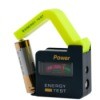
All of a sudden, my Kodak Easy Share digital camera would turn off as soon as it turned on. Or do nothing. Changing batteries didn't help. I even tested all the batteries on a battery tester. The tester was showing the batteries to be OK, when in fact, they were all subprime. Before I threw it out, I checked one last time with another (5th set) of batteries and it worked just fine. And all of the batteries had expiration dates some two years down the road.

By Holly from Richardson, TX
Jump to Feedback | Post feedback
Related Links:
Previous: Egg and Sausage Bake ThriftyFun Next: Nickel and Diming My Way to a New Kitchen
1x1
 Feedback
1x1
1x1
1x1
1x1
 Sponsors
1x1
1x1

Post by Cathy.Hossen (2) | (05/22/2007)
Contact
I had the same problem, it turns out my camera was draining the regular batteries too fast. The solution was to buy higher-powered batteries, suc has Lithium ones.


Post By (Guest Post) (05/15/2007)
Oh thank you! I thought it was my camera! This is a much better and less expensive fix.


Post by Exasperated (74) | (05/12/2007)
Profile |Contact
To Jess: Tried replacing batteries, calling Kodak (no response); no luck.


Post By Jess (Guest Post) (05/11/2007)
We had the same problem with an Easy Share with a docking port. We thought it was the actual docking station, but we bought a new set of rechargable batteries, and that solved the problem. Rechargable batteries, after a time, wear out and won't hold a charge any more.


Post by cookwie (609) | (05/11/2007)
Profile |Contact
The tester is about 10 years old. I don't have a dock - just rely on batteries*.
Recently purchased a Digital AC universal adapter from Wal-Mart that has a range of volts and tips. My camera, the Z700, takes 3 volts. http://www.walmart.com/catalog/product.do?product_id=5694040 About $15.
If you order it via their internet site, it will be delivered free to a store you choose. Might even be already at your local store. This adapter is for use when doing things that do not involve taking pictures (like transferring pictures to the computer).

*Now, about the batteries: while trying to figure out what was going on, I decided to measure the batts to see if there was a difference in height. Yes, there was (approx. 1/16 inch). I measured Duracell, Energizer and something else. Figured that a lack of contact could be part of the problem.
The batts that finally functioned were Duracell Ultra.


Post by Exasperated (74) | (05/11/2007)
Profile |Contact
I've been having trouble with my Easy Share, too. What kind/brand of tester did you use? Also, my Easy Share dock will not recharge camera, although it will transfer to the computer. Have you come up against this??


1x1

Post Feedback:
Login using the form on the top of the page to post feedback if you have registered with ThriftyFun. If you have not yet registered, click here. It's FREE!. If you are not registered you can post feedback as a guest below. Please don't use your email address for your name because spam robots can dredge it from our site. Please do not post your feedback more than ONCE. We need to approve all guest feedback and it may take from minutes to hours for that to happen.
(1x1 graphic )
Your Name

Subject

Feedback

text tool text tool text tool text tool

Image Upload: Add an image to your post! Click the "Browse" button below and select an image from your hard drive. Please only select gifs or jpegs. If you have any problems, just email the image to images@thriftyfun.com


If you want to post your email address for responses from readers, obscure it in some way like put spaces between the name and @ sign and service address with (remove spaces) behind it or name (at) server (dot) com . This is for your protection from those creepy Robots.

(1x1 graphic )

© 1997-2009 ThriftyFun.com - Design by Cumuli Design
Disclaimer: ThriftyFun.com cannot accept any responsibility for any injury or damage that you may cause to yourself, others, or property when following any advice given on this site. Read the full disclaimer. If you find any information on ThriftyFun.com or in our newsletters that is either erroneous and/or potentially harmful to others, please Contact Us, immediately.