Home |  Index |  Submit Request |  Share Photos |  Share Tips |  Active Topics |  New Feedback  |  Contact Us  |  Search
 User Login:  Username:    Password:      Forgot It?  | Join ThriftyFun!

 Popular Topics
 - Beauty
 - Budget and Finance
 - Christmas *
 - Cleaning
 - Consumer Advice
 - Craft Projects
 - Craft Tips
 - Food Tips
 - Garage Sales
 - Gardening
 - Gifts
 - Green Living
 - Home Improvement
 - Organizing
 - Parenting
 - Parties
 - Pest Control
 - Pets
 - Product Reviews
 - Recipes
 - Repair
 - Thanksgiving
 - Weddings for Less

More Topics

Google Search:

Web thriftyfun.com

About:
RSS Feed
About Us
Media
Advertising
Contact Us
Privacy Statement
Disclaimer

Address Book for Internet Information

1x1
Date: 04/16/2008 Topics: Computers > Internet Tips | Organizing > Tips  
1x1
1x1
Post Feedback! | Email Friend | Print | Get Responses | Bookmark | del.icio.us | Link | Rate: Thumbs Up Thumbs Down
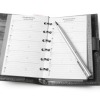
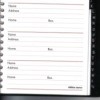
I don't know if anyone has ever submitted this idea, but I'd like to share something I do. I bought an inexpensive address book (from a dollar store). I started using it for websites or internet use. The alphabetical order is very helpful. I put in the web name on the name, website address on the address or the www.com address. Then if I signed up on the (free) sites, I enter the user name I used, the password, the email address I submitted to sign up and question hint and answer I submitted to sign up. This way, I keep track of my many favorite websites by adding short descriptions and the ones I signed up for free (such as this one).

By Rosario from Florida
Jump to Feedback | Post feedback
Related Links:
Previous: Chicken Rice Casserole ThriftyFun Next: Ice Cream in a Can
1x1
 Feedback
1x1
1x1
1x1
1x1
 Sponsors
1x1
1x1

Post by Jantoo (696) | (04/17/2008)
Contact
This is really a good idea. I've written down passwords, only to lose them in a pile of papers on my desk. So time-consuming to find them again.

This would also be good when you know you're going to be using a computer at the library or at school. Just take the address book with you.

Report Spam or Abuse


Post by SnowyFilly (14) | (04/16/2008)
Profile |Contact
I buy Fat books marked off a - Z tabs in marker for all my websites, screen names/email addy's of friends and business', etc... I keep seperate Fat Books for each category (recipes, shopping, medical, sites & info, etc...) I do keep 2 - 5 x 8" books A - Z marked for my screen names and membership/passwords... The very best thing i have done to keep track of my info...

Report Spam or Abuse


Post By Bev (Guest Post) (04/16/2008)
Thank you for this marvelous hint. I'm always forgetting web addresses and my passwords. I'm going out and buy one ASAP just for this purpose.

Report Spam or Abuse


Post by imaqt1962 (786) | (04/16/2008)
Profile |Blog! |Contact
what a wonderful idea ! you are very clever. I can't always use the same passsword for all my sites and often end up clicking on the "I forgot my password" button
plus if anything ever happens to my computer i will have a list of all my favorite places I go to
thank you so very much for this tip

RE: Address Book for Internet Information

Report Spam or Abuse


1x1

Post Feedback:
Login using the form on the top of the page to post feedback if you have registered with ThriftyFun. If you have not yet registered, click here. It's FREE!. If you are not registered you can post feedback as a guest below. Please don't use your email address for your name because spam robots can dredge it from our site. Please do not post your feedback more than ONCE. We need to approve all guest feedback and it may take from minutes to hours for that to happen.
(1x1 graphic )
Your Name

Subject

Feedback

text tool text tool text tool text tool

Image Upload: Add an image to your post! Click the "Browse" button below and select an image from your hard drive. Please only select gifs or jpegs. If you have any problems, just email the image to images@thriftyfun.com


If you want to post your email address for responses from readers, obscure it in some way like put spaces between the name and @ sign and service address with (remove spaces) behind it or name (at) server (dot) com . This is for your protection from those creepy Robots.

(1x1 graphic )

© 1997-2008 ThriftyFun.com - Design by Cumuli Design
Disclaimer: ThriftyFun.com cannot accept any responsibility for any injury or damage that you may cause to yourself, others, or property when following any advice given on this site. Read the full disclaimer. If you find any information on ThriftyFun.com or in our newsletters that is either erroneous and/or potentially harmful to others, please Contact Us, immediately.