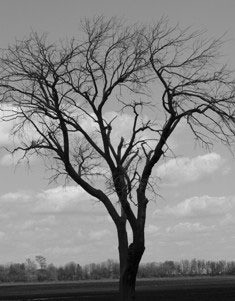
A tip for turning your colorless pictures into a work of art. Turn that boring picture into a work of art by changing it into "black and white" format in any of photo editing software. I used Microsoft Digital Image Suite 2006 on this picture. It was a very grey over-cast day. I got home and changed the format to black and white and wow!
Add your voice! Click below to comment. ThriftyFun is powered by your wisdom!
Beautiful pic! My sister-in-law loves that famous b/w photographer and one year I took pictures of three different waterfalls while on vacation in NC and framed them in black frames...I also made a label for the back to identify the waterfall...Really a beautiful gift and she loved them.
I love that! I'll have to try that with some of the photos I have that look dumb. lol Thanks!
Add your voice! Click below to comment. ThriftyFun is powered by your wisdom!