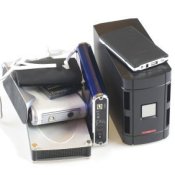
 This is a tip to save you money, time and concern of not being able to recover data on your computer when, and if your hard drive crashes. After ours crashed I read a article on computers which stated; the odds of a system crashing are 1 in 12.
I have been with out my computer for two and 1/2 weeks due to the hard drive crashing. It is amazing how much I depend on my computer.
Our computer is a desktop, which we have had less then a year. Something caused it to crash and we did not have a external hard drive installed.
We picked up our computer last night with a repair bill of close to $300.00. In that bill was a charge to try to recover data from the crashed system. Some was recovered, but alas we lost a large quantity of stored information.
This has been a expensive lesson! Hopefully you can learn from our mistake. Spend the extra money and get yourself the external hard drive to protect your files, pictures, etc.
By Bobbie from Rockwall, TX
This page contains the following solutions.
There are a couple ways to back up files on your computer. Whether they are financial statements, financial records, personal letters, prized pictures or favorite songs you have options.
Once my computer started automatically jettisoning information. The only way to stop it was to quickly press the OFF button.
I don't care how simple your outfit is, just make sure you have it backed up on 2 locations. External hard drives have to be connected to USB port and can go bad.
I have used and still use "Carbonite". It cost about $60.00 a year. But when my computer crashed, I had to buy a new motherboard.