Home |  Index |  Submit Request |  Share Photos |  Share Tips |  Active Topics |  New Feedback  |  Contact Us  |  Search
 User Login:  Username:    Password:      Forgot It?  | Join ThriftyFun!

 Popular Topics
 - Beauty
 - Budget and Finance
 - Christmas *
 - Cleaning
 - Consumer Advice
 - Craft Projects
 - Craft Tips
 - Food Tips
 - Garage Sales
 - Gardening
 - Gifts
 - Green Living
 - Home Improvement
 - Organizing
 - Parenting
 - Parties
 - Pest Control
 - Pets
 - Product Reviews
 - Recipes
 - Repair
 - Thanksgiving
 - Weddings for Less

More Topics

Google Search:

Web thriftyfun.com

About:
RSS Feed
About Us
Media
Advertising
Contact Us
Privacy Statement
Disclaimer

Problem Replacing Outlets in my Bathroom

1x1
Date: 07/08/2005 Topics: Home Improvement > Lighting and Electric | Readers Request > Home  
1x1
1x1
Post Feedback! | Email Friend | Print | Get Responses | Bookmark | del.icio.us | Link | Rate: Thumbs Up Thumbs Down
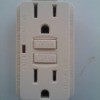
I decided to replace the outlets in my bathroom to GFCI. I made sure to follow the installing instructions very carefully. However, after my installation, the outlet is not providing power. I checked the power line and it is receiving power. But when I plug in a device in the outlet it does not work.

I also noticed the "Test" button is stuck but the green LED is not on! I tried to push the reset button but it is not resetting. Any help to trouble shoot this will be very much appreciated. I spent hours working on this and I am ready to give up.

Mo
Jump to Feedback | Post feedback
Related Links:
Previous: Uses for Oxygen Tubing ThriftyFun Next: Male Ruby-Throat Hummingbird
1x1
 Feedback
1x1
1x1
1x1
1x1
 Sponsors
1x1
1x1

Post By bRIAN (Guest Post) (01/22/2008)
Sounds like you have your load and line feeds mixed up. Try taking out outlet out, and switching the bottom black and white with the top black and white. I recently went through the same thing and found out i mixed up my load and line feeds.


Post by ThriftyFun (3785) | (07/14/2005)
Profile |Blog! |Contact
Hi Mo
If it is not resetting, then most likely some wire or screw is touching the side of the box. If that is not the case, the wires are mixed up. They could be mixed up at a connection box prior to that outlet.

The black wire, which goes to the gold terminal screw, should measure about 110 Volt to the bare ground wire, and it should have enough real power to light up a light bulb between the black and the bare ground wire that goes to the green hexagon screw and also the bottom of the outlet box, if it is a metal box.

The white wire, which goes to the silver terminal screw, should measure no more than 1 - 2 volts on an analog meter (with a needle) and no more than 20 Volts on a digital meter. A light bulb between the white wire and the bare ground wire should not light up, not even a dim glow.

If you do not get exactly those results, then you have a problem somewhere upstream.

If you do get those results and no terminal or wire (except the bare ground) is touching the box, then the GFCI outlet is not working.

On some models the "Test" button requires a lot of force, so that it does not get pushed accidentally. Also, with some models the "Reset" button has to be pushed in quite deeply and held for a few seconds.

If all of that does not help, replace the GFCI outlet with a new one.

Have FUN!
DearWebby
http://www.webby.com/humor/


Post by washburn6394 (48) | (07/12/2005)
Profile |Contact
did you get a bad outlet to begin with?


1x1

Post Feedback:
Login using the form on the top of the page to post feedback if you have registered with ThriftyFun. If you have not yet registered, click here. It's FREE!. If you are not registered you can post feedback as a guest below. Please don't use your email address for your name because spam robots can dredge it from our site. Please do not post your feedback more than ONCE. We need to approve all guest feedback and it may take from minutes to hours for that to happen.
(1x1 graphic )
Your Name

Subject

Feedback

text tool text tool text tool text tool

Image Upload: Add an image to your post! Click the "Browse" button below and select an image from your hard drive. Please only select gifs or jpegs. If you have any problems, just email the image to images@thriftyfun.com


If you want to post your email address for responses from readers, obscure it in some way like put spaces between the name and @ sign and service address with (remove spaces) behind it or name (at) server (dot) com . This is for your protection from those creepy Robots.

(1x1 graphic )

© 1997-2009 ThriftyFun.com - Design by Cumuli Design
Disclaimer: ThriftyFun.com cannot accept any responsibility for any injury or damage that you may cause to yourself, others, or property when following any advice given on this site. Read the full disclaimer. If you find any information on ThriftyFun.com or in our newsletters that is either erroneous and/or potentially harmful to others, please Contact Us, immediately.