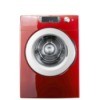
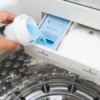
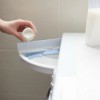
I have a fairly new front loading Kenmore washer. The fabric softener dispenser is clogged and I can't get it out of the machine. It doesn't just slide out, like my last machine. How do you get it out?
Add your voice! Click below to answer. ThriftyFun is powered by your wisdom!
Have you checked your owner's manual? If you don't have it you can go online and look for it, or email the manufacturer or find an 800 number for customer service. You will need the model number.
Have you tried pouring in some hot water?
I have a front load Kenmore and my soap, etc. dispenser has a little lever at the top to release the tray. I've found that when I use fabric softener I have to dilute it about 1 to 3 or it'll not drain into the washer.
I had this problem too and I boiled a pot of water and slowly poured it into the dispenser. At first it came out the top and then slowly but surely it started to drain out from where it was supposed to. Keep doing this till it runs clear and don't use the dispenser anymore. I like the Downy balls.
Call the store where you bought it, even if it's off warranty.
If this is a Whirlpool clone, there should be a tab to release the drawer. Check the owner's manual. The release tab on mine is at the rear left of the drawer. Then (or in my machine even without totally removing the drawer) it should be possible to lift out the bleach and fabric softener baffles and rinse them under the faucet, and brush any gunk out of the drawer itself.
Be careful not to get any detergent, ammonia, bleach, or other laundry additives into the fabric softener compartment together with the fabric softener. Some of these products can congeal the fabric softener.
Add your voice! Click below to answer. ThriftyFun is powered by your wisdom!