ThriftyFun Logo
Home   Find   Ask   Share   Answer   Join   Index   Login  
 
 User Login:  Username:    Password:      Forgot It?  | Join ThriftyFun!

 - Beauty
 - Budget and Finance
 - Cleaning
 - Consumer Advice
 - Craft Projects
 - Craft Tips
 - Food Tips
 - Garage Sales
 - Gardening
 - Gifts
 - Green Living
 - Home Improvement
 - Organizing
 - Parenting
 - Parties
 - Pest Control
 - Pets
 - Product Reviews
 - Recipes
 - Repair
 - Weddings for Less

RSS Feed
About Us
Media
Advertising
Contact Us
Privacy Statement
Disclaimer

Organizing Computer Cords

1x1
Date: 07/30/2009 Topics: Computers > Tips | Organizing > Miscellaneous  
1x1
Post Feedback | Get Responses | Bookmark | Link | Print | Print (With Feedback) | Rate: Thumbs Up Thumbs Down | Bookmark and Share
Like everyone above thirty I have aches and pains. Mine aren't common; I can barely get around after a bout of meningitis. My computer went down, and my friend came over (he's a computer engineer) and fixed it.

When the time came to put it back and boot it up, I took masking tape and marked each cord that went into the tower. Now if I have to move the tower (or clean it), I can easily tell what cord goes where. Computer buffs know what goes where, and so they don't have to think about it. But in tight quarters, it is so easy to re-connect or troubleshoot about what cord may be loose. It worked for this dummy!

By Damaged05170 from Dayton OH

(1x1 graphic )
Previous: Chore Incentives for Kids and Adults ThriftyFun Next: Deep Conditioning Treatment At Home
(1x1 graphic )
1x1
1x1
 Feedback
1x1
1x1
1x1

By Redbeard (10) Profile Contact
My suggestion does not make a way to organize your computer cords ( as the suggestion replied are great), but my suggestion if you become worried and concerned where the cables are attached, besides labeling them is also to take digital pictures of the cables and where the cables are attached. A picture is worth a thousand words. I take digital pictures of any item (s) that I will disassemble and the reassemble. Electronics, electrical connections, radio imputs and outputs, car parts etc. It sure makes it easier for me. Do all what has been suggested and you will do fine.

Posted on 08/07/2009 | Report Spam or Abuse

By AmnesiaWes (4) Contact
Instead of using masking tape, I use the small square plastic stays that close the plastic bread bags. That way when I need to unlpug only one chord, I just look for the labeled/color coded plastic tabs.

Posted on 07/31/2009 | Report Spam or Abuse

1x1
1x1
 View Archives:
1x1
1x1

This pages has been archived 1 time. You can view older posts and feedback below.

  • Request: Organizing Computer Cords (07/30/2009)
    We just got a new computer desk and I have a terrible mess of computer cords from the existing computer. It looks like an out of control octopus.

1x1
1x1
 Post Feedback:
1x1
1x1
1x1

Login using the form on the top of the page to post feedback (if you are a registered user). If you have not yet registered, click here to do so. It's FREE!.

1x1
(1x1 graphic )

1x1
 Archives:
1x1
1x1

Request: Organizing Computer Cords

Archived on 07/30/2009

We just got a new computer desk and I have a terrible mess of computer cords from the existing computer. It looks like an out of control octopus. Does anyone have a simple way of getting the cables and cords behind the desk? I am worried about unplugging everything and then the computer not working again. I am a computer beginner. Thanks for any help or suggestions.

Mary from Redmond, WA

Feedback:

RE: Organizing Computer Cords

You can use "zip" ties to secure, you can buy then at Walmart. Or just regular string perhaps. They sell covers for the wires. It looks like a long tube. I tried it once but was frustrated because some cords were longer than others and it didn't seem to work right. (05/27/2008)

By

RE: Organizing Computer Cords

I use bread ties to hold cables next to each other coming out of the back of the computer and then also to roll up the extra so they are under control. (05/27/2008)

By junebug_000

RE: Organizing Computer Cords

Use an old curly phone handset cord. Cut the ends off and just wrap around all the wires together. (05/27/2008)

By Tammie

RE: Organizing Computer Cords

Thanks for the replies so far, but I need to clarify my question. Is there any way that anyone knows of to simplify unplugging and re-plugging in all the cords? The new computer desk is the tall kind with holes in the back wall for the cords. There is a slide out keyboard tray as well. Right now there is a giant mess of cords to the side of the desk and I need to feed those cords through the back and then I will be able to tie them back as you all have suggested. I just am not sure of how to go about setting it all up again and I am worried that it won't work right once I unplug everything. I was looking for some way of identifying the components and cords so I wouldn't get mixed up when it is all apart. There are so many smart people on this site that I thought someone might have a clever way of doing this. Thanks in advance for reading this. Mary (05/28/2008)

By

RE: Organizing Computer Cords

I use a section of PVC pipe to run the cords through. This keeps them all together and it's much easier to clean the floor around them by simply lifting up the pvc pipe. (05/28/2008)

By petlover

RE: Organizing Computer Cords

I think I know what you are getting at, and I don't think there is really any "simple" way of doing what you're wanting to do, other than maybe labeling them somehow as you unplug them. But, usually, computer cords all only plug into one place, so there really shouldn't be a problem of getting them mixed up. Hope that helps. Renee in TN (05/28/2008)

By firemanswife90

RE: Organizing Computer Cords

When I first started using the computer I had the same concerns you do and was very worried I would hook it up wrong if I unplugged it. So I did this. I got some masking tape and on each cord I put a letter starting with A. I then went to where that particular cord was plugged in on the back of the tower or component and put the corresponding letter where the cord plugged into. In other words...A to A...B to B etc. worked great and got it right every time. Just be sure you get the tape on so it doesn't fall off before you get it back to the right place. I know that Radio Shack sells label for this exact thing or they did, but tape works just fine. Masking tape is easy to remove also if and does no damage to the cords or the computer. Hope this helps. (05/28/2008)

By sunnysideup

RE: Organizing Computer Cords

Hi, I was very computer illiterate a few years ago. I'm still not great but you can look at the ends of the cords and then at the plugs on the computer and see where it goes. They are shaped differently and some are also labeled. You can do it! Just do this when you have a while and aren't rushed. God bless you. (05/28/2008)

By velsgal

RE: Organizing Computer Cords

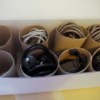
I have used the cardboard tube from a roll of paper towels to organize cords from TVs, DVD players, game consoles, etc. Keeps them organized and from getting tangled. (07/26/2008)

By Kelly

RE: Organizing Computer Cords

Sunnyside up gave you the answer. Label the cord and the hole it goes into with masking tape using A to A, B to B, etc. method. (11/18/2008)

By PhilW395

Report Spam or Abuse

© 1997-2009 ThriftyFun.com - Design by Cumuli Design
Disclaimer: ThriftyFun.com cannot accept any responsibility for any injury or damage that you may cause to yourself, others, or property when following any advice given on this site. Read the full disclaimer. If you find any information on ThriftyFun.com or in our newsletters that is either erroneous and/or potentially harmful to others, please Contact Us, immediately.