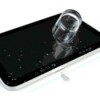
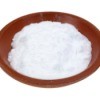
If you have ever dropped your cell phone in water, you know how frustrating that can be! Try this tip next time. Put the phone in a ziplock baggie with baking soda. I have never had to try it, but it sounds logical. The soda will suck the water out.
Source: friend
By Jackie from Orlando, Florida
Add your voice! Click below to comment. ThriftyFun is powered by your wisdom!
I would hope you arent placing the phone or whatever directly in the baking soda. That could lead to a gooey mess LOL.
When my phone went through the washer I used a hair dryer on it. I took the back cover and battery out and held the blow dryer on it for quite a while. When I finally got tired of holding the dryer, I put the phone on top of my floor vent (heat) and left it there for 24-36 hours.
Here is what Kim Komando suggests and she is an authority on things of this nature. Make sure you read all the pages on it.
www.komando.com/
I once left my new portable phone out in the yard on the garden wall. As luck would have it we got a heavy rain that night. I just let the phone dry out naturally for a couple of weeks, which I am sure is over kill, but the phone was fine. Also I once left a nice CD player out, and of course it got rained on. Since this was the summer time I put the player in my hot car, and after a week or two, it was completely dried out and worked fine.
Add your voice! Click below to comment. ThriftyFun is powered by your wisdom!